Your fonts stay where they are. You switch them on.
Skrifttype catalogues every font folder you point it at, then makes a font visible to all your apps only when you ask. No installing, no copying, and no font menu that scrolls forever.
Free and open source. Windows 10 or later. No account.
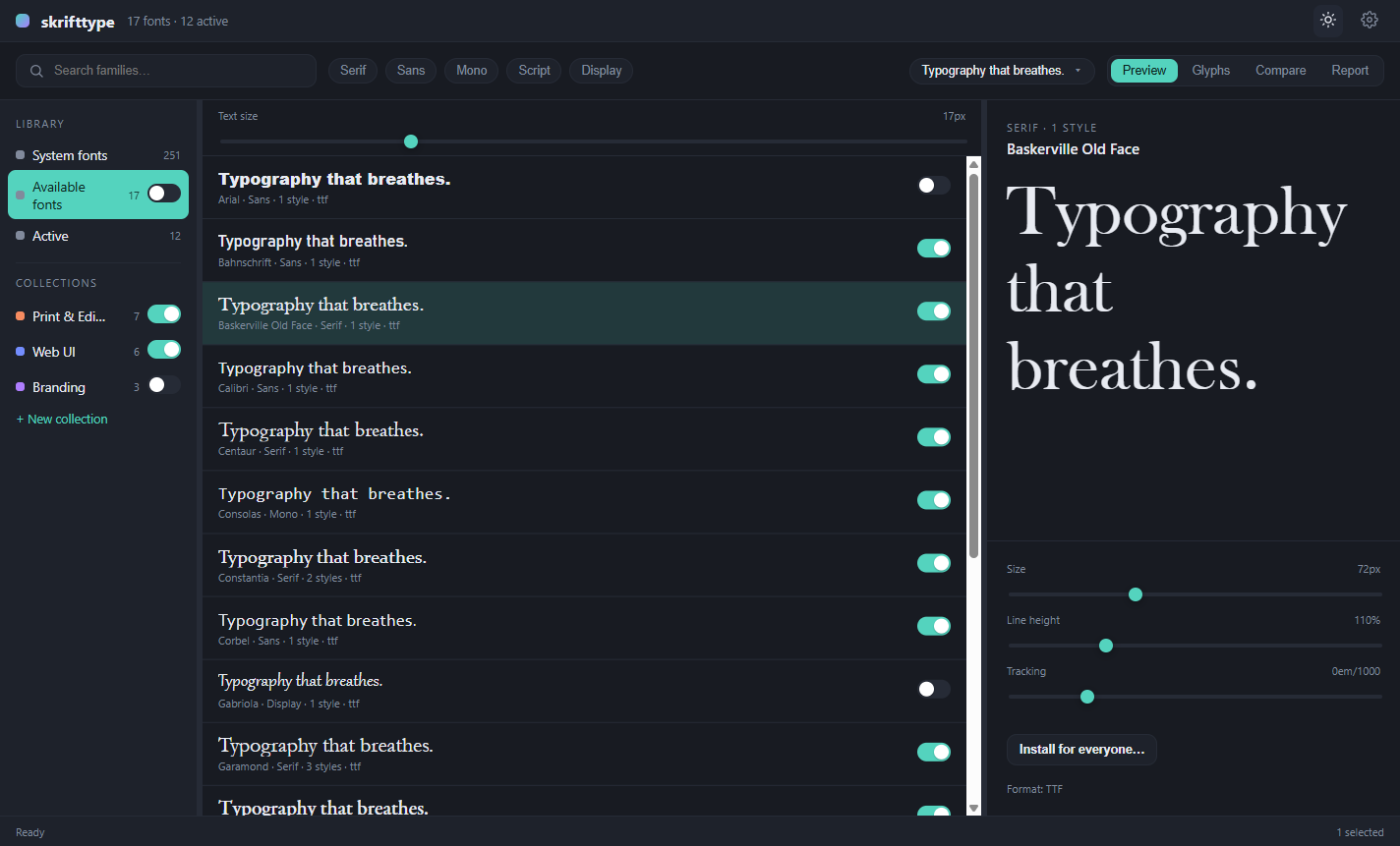
Switched on means every app can see it.
Activation uses the Windows font API, so Word, Photoshop, Affinity and every other running app can use a font the moment you switch it on in Skrifttype. Switch it off and it disappears again. Nothing is installed, so nothing is left behind and your font menus stay short.
Group fonts by job, then switch the whole job on.
Make a collection for a client, a brand or a project. Give it a colour. Drag fonts onto it, or select a few and create the collection around them in one step.
Then use the switch next to the collection. Every font inside turns on together, and turns off together when the project is done.
- Fonts can live in several collections at once
- A font stays loaded while any active collection still needs it
- Switch single fonts on or off from the list at any time
- Active fonts are unloaded when you quit and restored when you start
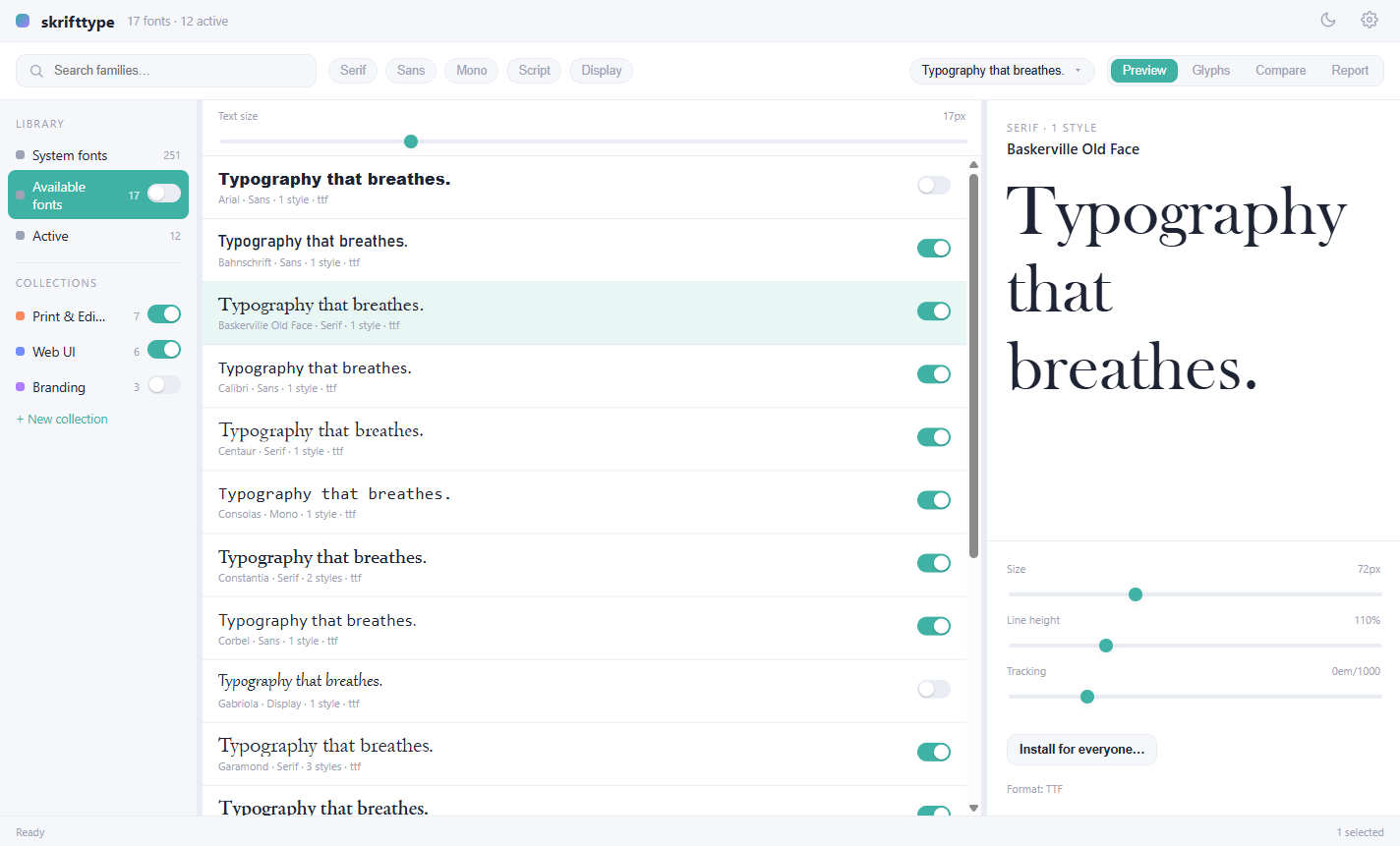
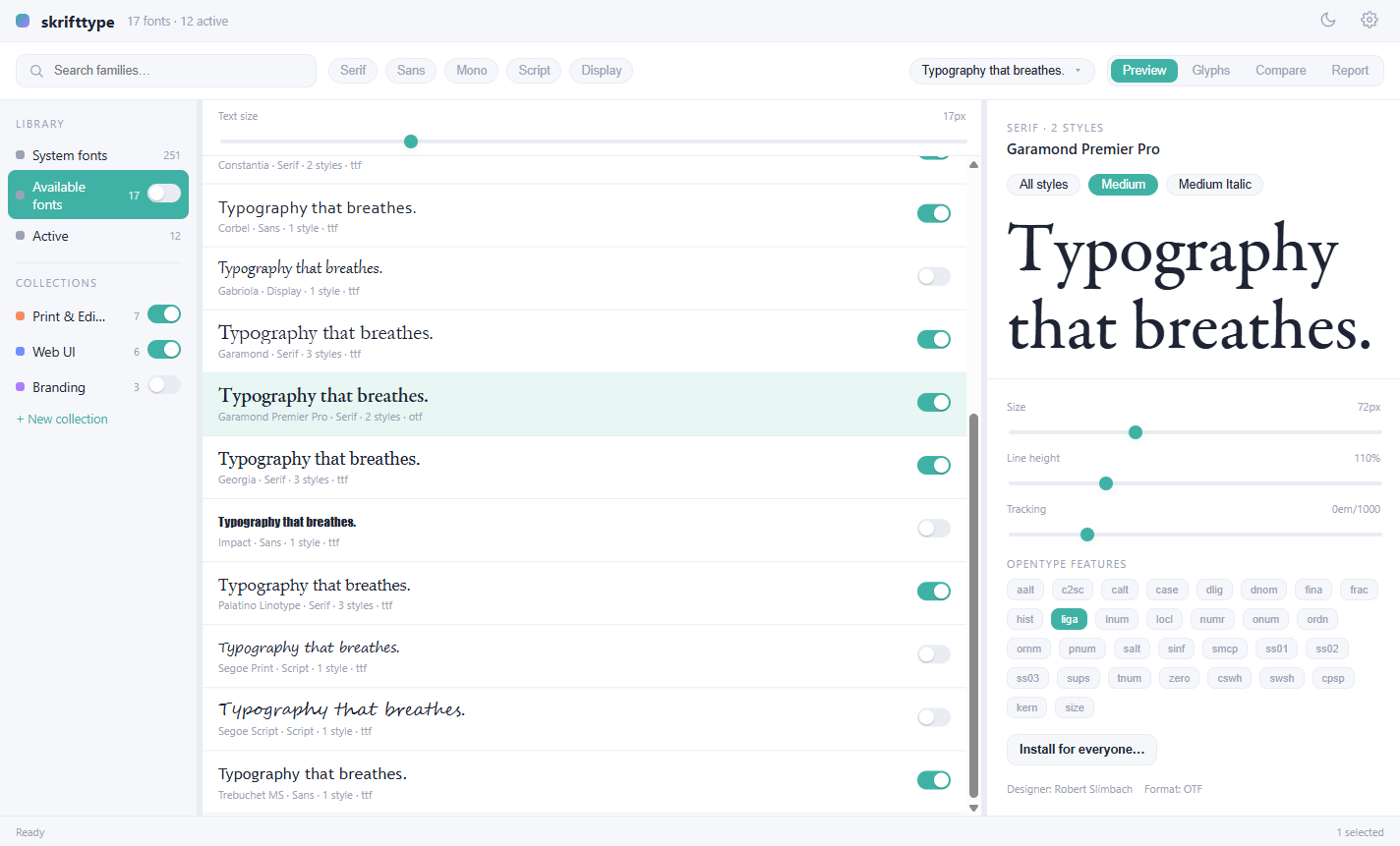
See a font properly before you commit to it.
Every font is drawn from its own file, whether it is active or not. Type your own words, change the size, line height and tracking, and pick a weight or italic from the style pills.
Skrifttype reads the OpenType features each font actually has and lets you turn them on and off live: ligatures, small caps, tabular figures, stylistic sets and more.
- Preview text with your own sample, kept across fonts
- Variable fonts are flagged for you
- Designer, format and style count at a glance
Put two to four fonts side by side.
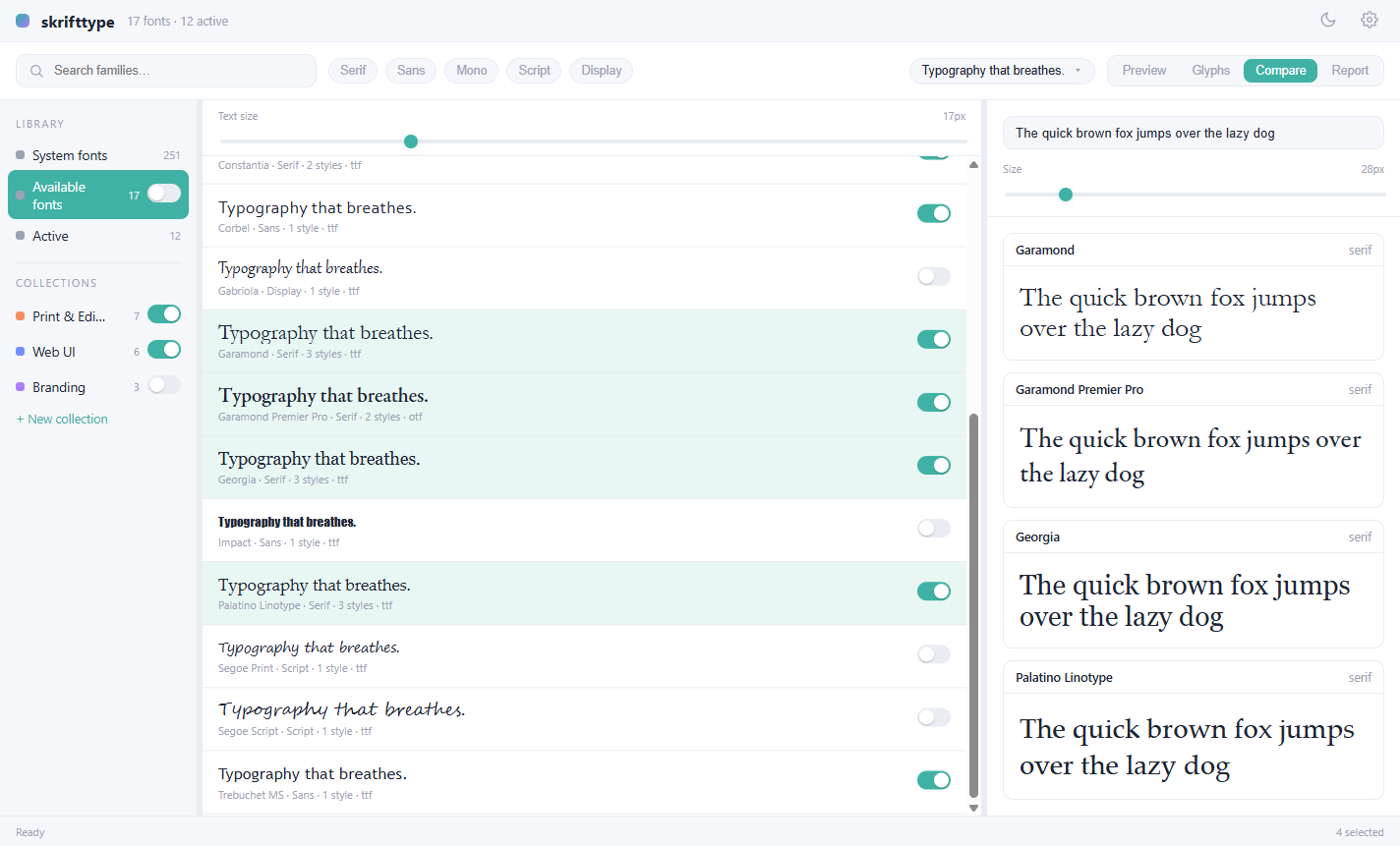
Choosing between four serifs for the same paragraph? Select them with Ctrl or Shift and click Compare. They share one line of text and one size slider, so the only thing that changes is the typeface.
When you have picked a winner, switch it on from the same list.
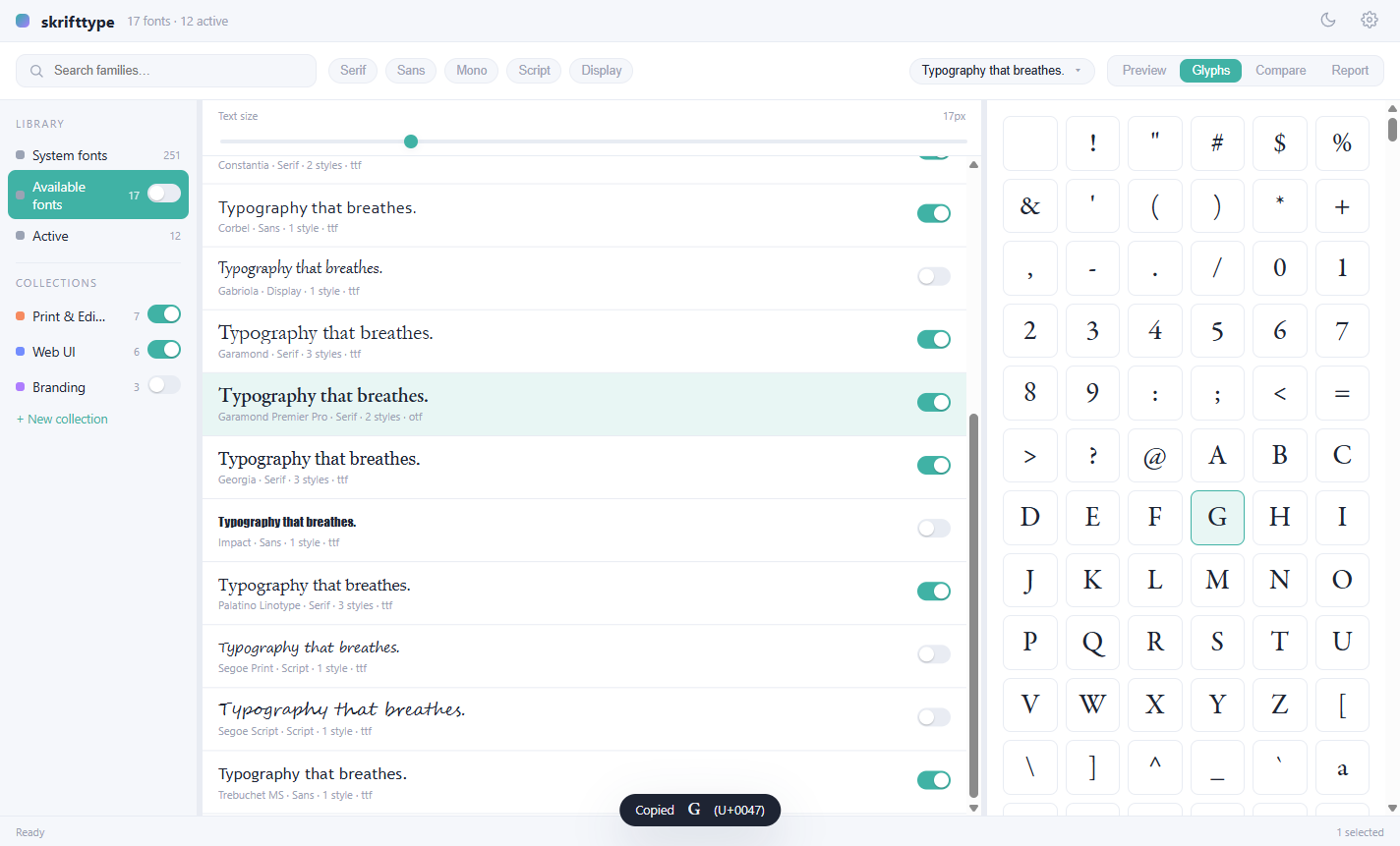
Every glyph in the font, one click from your clipboard.
The glyph map lays out all the characters a font really contains, drawn in that font. Click one to copy it, and a small note confirms which character you got and its Unicode code point.
It is the quickest way to find the arrow, the fraction or the odd little ornament you were hoping the font had.
Print a specimen, or save it as a PDF.
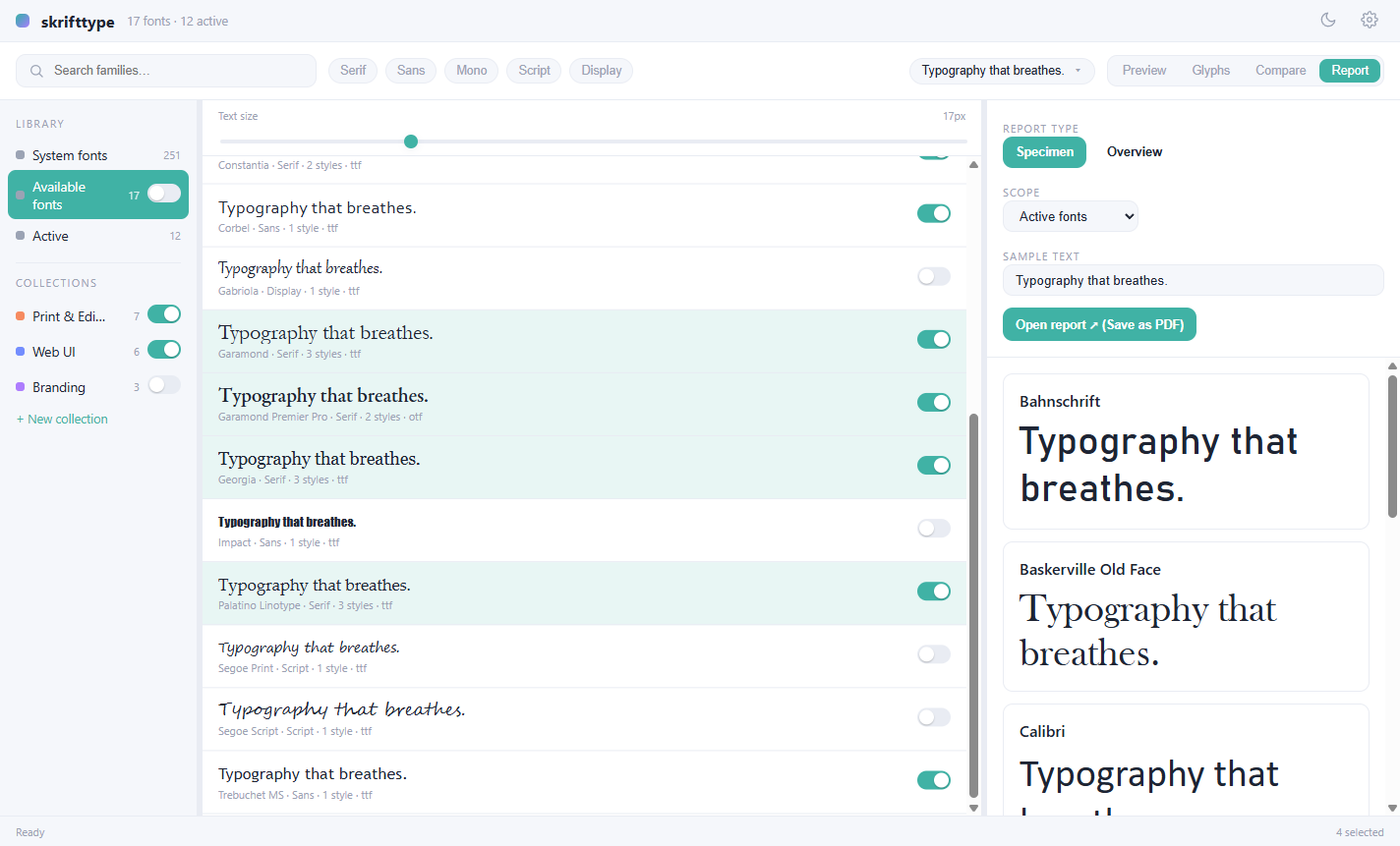
Reports turn a selection into something you can hand to someone. Choose a specimen for a closer look at each font, or an overview for a quick catalogue sheet. Pick the scope (active fonts, a collection, or the whole library), set your sample text and open it.
Send it to a printer, or use Save as PDF for a client who wants to see the options.
Light or dark, your call.
Switch themes from the toolbar whenever you like. Skrifttype remembers your choice, along with the size and position of its window.
And the details that make it feel right.
- Watched folders
- Point it at the folders you already use, recursively if you like. Add, rename or delete a font and the library catches up within a couple of seconds. Your files are never copied, moved or changed.
- Sorted for you
- Fonts are classified as serif, sans, mono, script or display from their own data, so the filter chips above the list work without any tagging from you.
- Instant search
- Find a family by name, narrow by type, or look only at what is currently active.
- System fonts, read-only
- The fonts already installed on your PC are listed alongside your library, so you can preview and compare against them. Skrifttype never touches them.
- Install for everyone
- Need a font permanently, for every user on the machine? One button copies it into Windows through a small helper, with a single UAC prompt. Skrifttype itself never runs as administrator, and it only offers to remove fonts it installed.
- Font collections and web fonts
- TTC and OTC files and WOFF or WOFF2 web fonts are catalogued and previewed too. Convert them to plain TTF or OTF, or split a collection into one file per face, whenever you ask. The original is never overwritten.
- A short walkthrough
- First launch shows you around in a few steps, and you can replay it from Settings whenever you like.
Everything stays on your machine.
One SQLite file holds the catalogue. There is no account, no cloud, no sync server and no telemetry. Delete the file and you are back to a clean slate; your fonts are exactly where they were.
Get Skrifttype
Free and open source under the MIT licence. Windows 10 or later, x64 or ARM64. The installer fetches the WebView2 runtime if you do not have it.
About the security warning
Releases are not code-signed, because certificates are costly for an unfunded open source project. Windows SmartScreen will say Windows protected your PC. Choose More info, then Run anyway.
Every release is built from the tagged source by a public workflow. If you would rather not trust a binary, build it yourself using the steps in the README.
macOS and Linux builds run, but font activation is Windows-only for now.